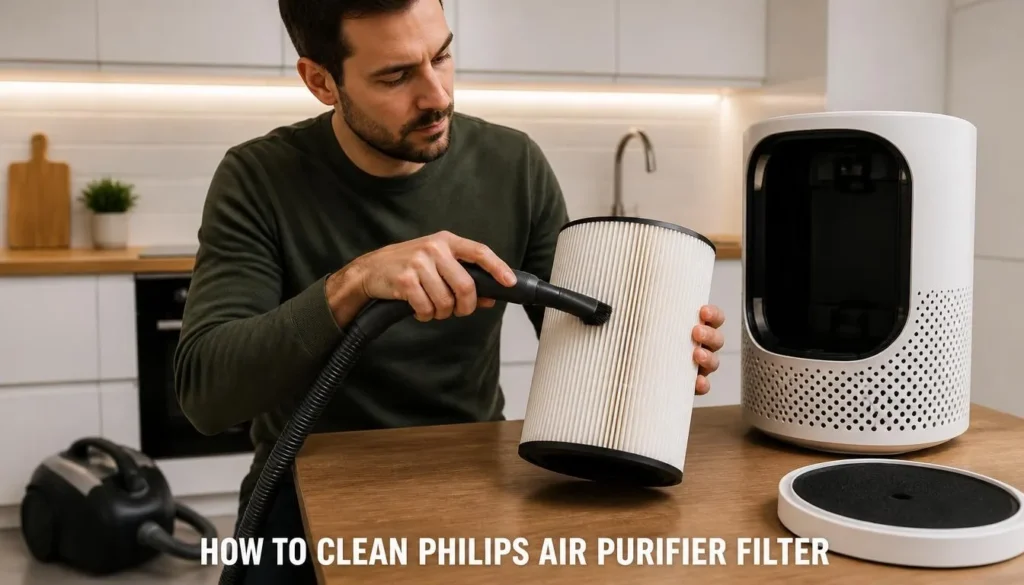
You clean the Philips Series 1000 filter by vacuuming its surface when the cleaning alert shows. You never wash it. Philips tells owners to keep all liquids, including water, away from the filter. This guide shows how to clean your Philips air purifier filter 1000 step by step, using only a vacuum cleaner and your hands.
The cleaning alert and the replacement alert mean different things. By the end, you will tell them apart, reset the timer with the right buttons, and know when the filter must be replaced.
Key Takeaways
- Vacuum the filter surface when the cleaning alert shows. Never wash it.
- The FY1700/30 filter is not washable or reusable, so keep all liquids away from it.
- Clean the particle sensor every 2 months with a damp cotton swab, then a dry one.
- A red replacement alert locks the unit if ignored. Philips suggests changing the filter every 12 months.
How to Clean Philips Air Purifier Filter 1000: Step by Step
The Series 1000 filter is one cartridge, and its surface collects air purifier dust. Cleaning means removing that accumulated dust with a vacuum. Do it when the filter cleaning alert shows on the screen, and never use liquids on the filter.
- Switch off the purifier and unplug it.
- Pull the back cover off the unit.
- Pull the filter out.
- Vacuum the surface of the filter.
- Put the filter back in.
- Reattach the back cover.
- Plug the purifier in and touch the power button.
- Touch and hold the light button and the mode button for 3 seconds to reset the filter cleaning time.
Wash your hands after you clean the filter. Do not skip step 8, because the cleaning alert can stay on until you reset the timer. Vacuum the surface only, and keep abrasive or aggressive cleaning agents away from the filter.
These steps come from the Philips AC1711 (Series 1000) manual. The 1000i model, the AC1715, carries the same cleaning text. Still, follow the manual that came with your unit, and match the model number printed on the purifier before you start.
What You Can Clean and What You Must Replace
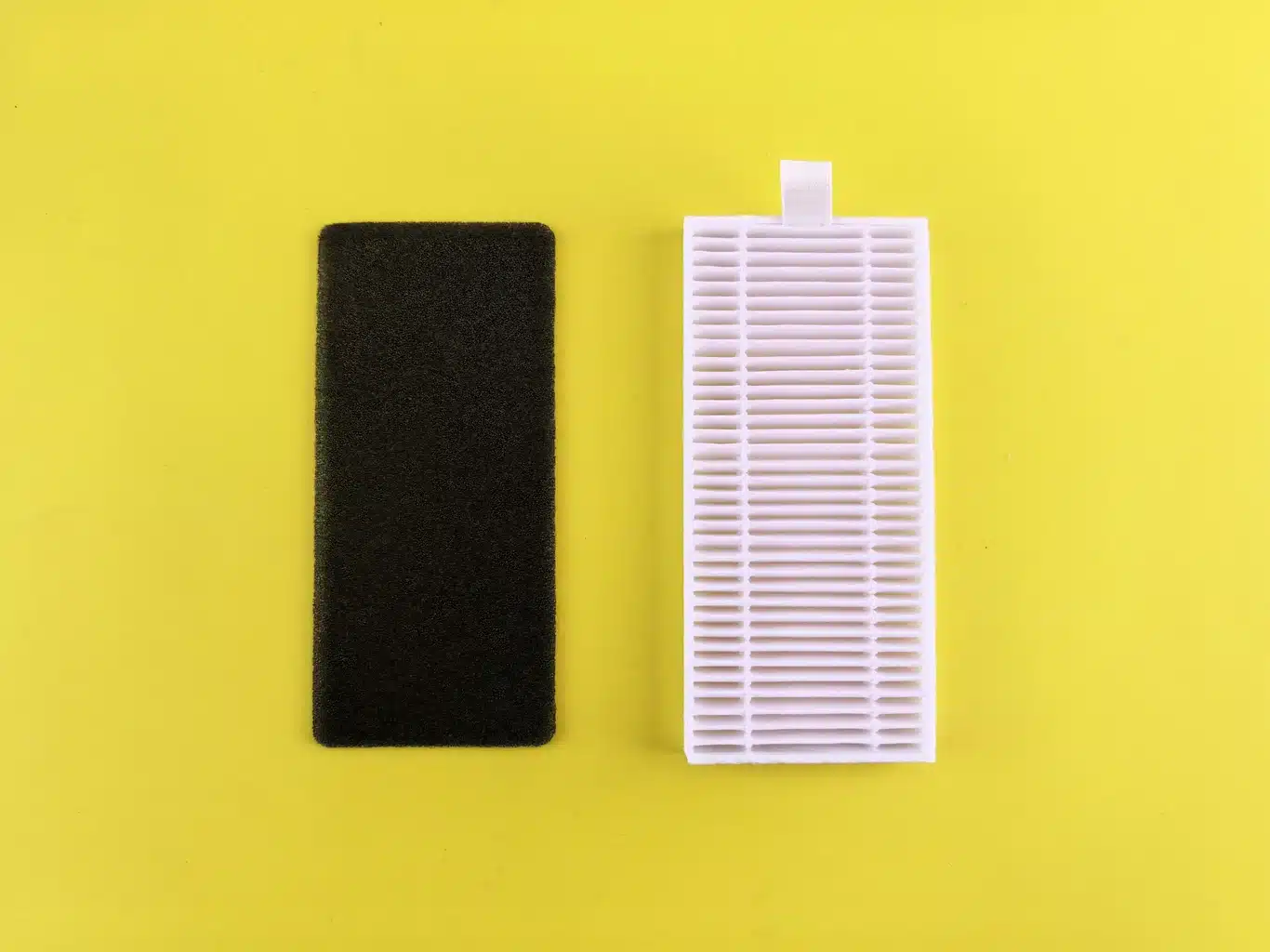
The Series 1000 filter is one cartridge with three layers. A pre-filter (a coarse layer that catches hair and large dust) is one of them. Active carbon (a layer that traps odors and some gases) is another. Philips sells the whole cartridge as FY1700/30.
The third layer is the air purifier HEPA filter (HEPA means high-efficiency particulate air). Philips names this layer NanoProtect HEPA. According to the EPA, a HEPA filter must capture at least 99.97% of particles at 0.3 microns (a micron is about 1/100th the width of a human hair).
Many shoppers specifically look for a true HEPA air purifier. The Philips pages used for this guide call the layer NanoProtect HEPA and do not use the words true HEPA, so this guide makes no such claim. The 0.3 micron size is the hardest to catch, not the smallest, and it is called the most penetrating particle size (MPPS).
Here is what you can do with each part:
| Part | Vacuum it? | Wash it? | What to do |
| Filter surface | Yes | No | Vacuum it when the cleaning alert shows. |
| FY1700/30 cartridge | Surface only | No | Replace it at the red alert. It is not reusable. |
| Particle sensor | No | No | Use a damp cotton swab, then a dry one, about every 2 months. |
| Outer body and air outlet cover | Not applicable | No | Wipe with a soft dry cloth when needed. |
How to Clean Your Philips 1000 Air Purifier Filter and When to Clean the Sensor
Philips ties filter cleaning to the cleaning alert on the screen, not to a date. The manual gives no weekly or monthly interval for the Series 1000 filter, so any fixed schedule you read elsewhere is a guess. Clean the sensor every 2 months and wipe the body and air outlet cover when needed.
When the alert lights up, switch the unit off and unplug it. Pull the filter out and vacuum only its surface. Then reset the cleaning time, which the first section of this guide explains. Coway owners can follow our steps to clean a Coway air purifier.
Particle sensor: clean it about every 2 months, and more often in a dusty room or high humidity. Unplug the unit and open the air quality sensor cover. Wipe the sensor with a damp cotton swab, dry it with a dry cotton swab, then close the cover.
Keep these rules in mind every time:
- Power: unplug the unit before you open any cover.
- Body: wipe the outer body and air outlet cover with a soft dry cloth, only when needed.
- Filter: keep all liquids and solvents off it, and skip abrasive or aggressive cleaners.
- Sensor: never vacuum it.
Air Purifier Filter Change: Replacement Alert, Lock and Reset
Cleaning cannot restore a loaded filter. When the replacement alert turns red, the cartridge has reached the end of its life. If you ignore it, the unit stops and locks as a protection feature. Order a new FY1700/30 at that point.
Philips recommends an air purifier filter change every 12 months. That figure is Philips’ own estimate. The company works it out from average use and World Health Organization (WHO) data on urban outdoor pollution. Your real timing depends on your room and how often the unit runs, so follow the alert, not the calendar.
After you install the new filter, reset the lifetime counter. The manual’s filter reset section says to switch the unit off, unplug it and plug it back in. Within 15 seconds, hold the light button and the mode button together for 3 seconds. Another part of the same manual words this a little differently, so follow the manual that came with your unit.
If the red alert stays on after the swap, the counter was most likely not reset, so run the reset again. For a brand-neutral view of timing, see our guide on how often to change an air purifier filter.
Model Differences: Series 1000, 1000i and Other Philips Lines
The AC1711 (Series 1000) and AC1715 (Series 1000i, the Wi-Fi model) manuals carry the same vacuum-only cleaning text. Both use the same FY1700/30 filter. Philips US support also lists the AC0850/41, AC0820/40 and AC1715/41 as cylindrical-filter models where you vacuum the surface when the alert shows.
Other Philips lines work differently. Models such as the AC121x, AC272x and AC288x use a separate pre-filter that you can rinse, and their reset buttons differ. A video or forum post written for one of those models can damage a Series 1000 filter if you copy it.
Match the model number printed on your unit to the manual before you start. For a Levoit unit, see our guide to cleaning a Levoit air purifier. One limit applies here: this guide checked the AC1711 and AC1715 manuals, but for the other models above it relies on the Philips support page alone. Their button combinations are not covered here.
Why a Clean Filter Matters for Allergies and Dust

According to the CDC, 31.7% of U.S. adults had a diagnosed seasonal allergy, eczema or food allergy in 2024. Only some of those conditions involve airborne triggers. Asthma is common too: CDC data report that 8.5% of U.S. adults had current asthma in 2025. Many people want a practical way to reduce airborne triggers at home.
Common air purifier allergens include pollen, dust mite debris and pet dander. The American Lung Association names HEPA filters among the most effective types of air cleaners. An air purifier for allergies can help lower the amount of these particles in a room, but it does not cure an allergy.
None of that works if air cannot pass through the filter. A purifier only cleans the air it moves, so a dusty surface that cuts airflow also cuts how much air gets filtered. Philips troubleshooting guidance lists weak airflow as a sign of a dirty filter surface. That is why the cleaning alert and the replacement alert both matter. Blueair owners can follow our steps to clean a Blueair air purifier.
How We Research
We check every claim against primary sources. Federal agencies like the EPA and CDC come first. Certification bodies like NSF and AHAM come next. We verify each standard number against the issuing body. We review this guide on a set schedule.
Why Trust This Guide
Puritisimo covers only water and air quality. Our guidance is editorial and independent. We cite every health figure so you can check it. We never present a promotional claim as fact.
Keep the Philips 1000 Filter Doing Its Job
A Philips Series 1000 filter needs minimal maintenance, but each task has a specific schedule and purpose. Vacuum the surface when the cleaning alert shows, and keep every liquid away from the cartridge. Clean the particle sensor about every 2 months with a damp, then dry, cotton swab. When the red replacement alert appears, fit a new FY1700/30 and run the reset. Washing and soaking are off the table, because Philips says this filter is not washable or reusable.
For other brands, our general guide on cleaning air purifier filters is a good next read. Follow those steps and you will know how to clean your Philips air purifier filter 1000 without harming it.
Frequently Asked Questions
How to clean Philips air purifier filter 1000 with vinegar?
Vinegar is not part of the Philips method for how to clean your Philips air purifier filter 1000, and Philips says to use no liquids at all, water included. The manual tells you to vacuum the surface only. It also warns against abrasive or aggressive cleaning agents, so skip those too.
Can a Philips air purifier filter be washed?
The answer depends on the model, and the Series 1000 and 1000i filter cannot be washed. That FY1700/30 cartridge is not washable or reusable, so you vacuum its surface and replace it at the alert. Some other Philips models have a separate pre-filter that Philips says you can rinse, so check your model number first.
How long does a Philips 1000i filter last?
Philips lists a recommended filter change every 12 months for the 1000i, based on average use and World Health Organization (WHO) data on urban outdoor pollution. Actual timing depends on your environment and how often you run the unit. A red replacement alert tells you when to swap it, and the unit locks if you ignore the alert.
Can you clean air purifier filters instead of replacing them?
Only the dust on the surface of this Philips filter can be vacuumed away. Cleaning does not restore the HEPA or active carbon layer, so a red replacement alert still means a new FY1700/30. Vacuuming helps airflow between changes, but it cannot replace the swap.
How to clean Philips air purifier sensor?
You clean the sensor with a damp cotton swab, never with a vacuum. Unplug the unit, open the air quality sensor cover, wipe the sensor, dry it with a dry cotton swab, and close the cover. Philips says to do this about every 2 months.
References
- U.S. Environmental Protection Agency. What is a HEPA filter? Indoor Air Quality.
- CDC National Center for Health Statistics. Allergic Conditions in Adults. NCHS Data Brief No. 545.
- CDC National Center for Health Statistics. Asthma. FastStats.
- American Lung Association. Air Cleaning. Protecting from Air Pollution.
Medical Disclaimer: This content is for informational purposes only. It is not a substitute for professional medical advice, diagnosis, or treatment. If you have concerns about your water quality or air quality and their effects on your health, consult a qualified healthcare professional.